

















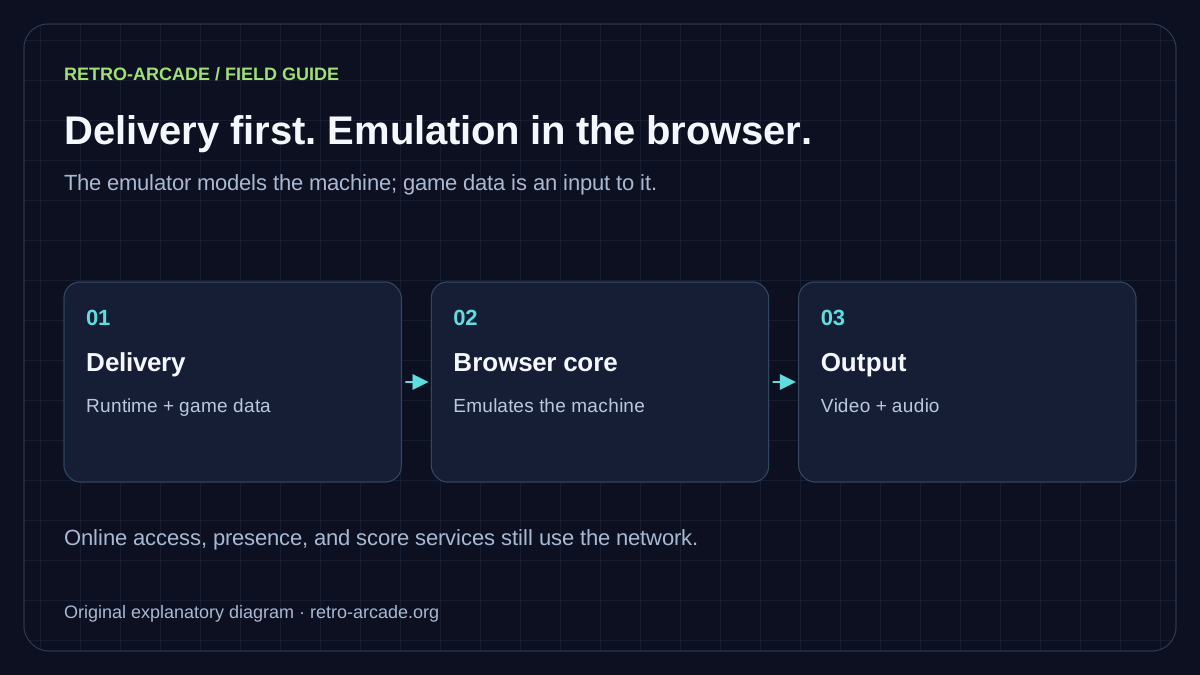
A browser arcade has two different jobs: deliver the right files and emulate the machine that uses them. Mixing those jobs leads to confusing claims such as “the original arcade program is WebAssembly” or “a fast connection guarantees perfect play”. Neither describes the whole process.
The emulator and the game are different programs
In Retro-Arcade, a libretro emulation core is compiled for WebAssembly and used through EmulatorJS. The core models the original machine. It reads game data, including program ROMs, and produces the video and audio the browser presents. The arcade program has not simply been converted into a modern browser game.
MDN’s WebAssembly overview explains the format and its relationship with JavaScript. WebAssembly is an execution technology, not a guarantee that the machine being modelled is perfectly reproduced.
Follow a launch through four stages
- Read the record. The game page identifies the cabinet, required account tier, and control mapping.
- Check access. The application checks the session, entitlement, and applicable daily allowance before granting game access.
- Load the runtime and data. The browser obtains the EmulatorJS runtime and the files needed by the selected game. Our storage implementation supports local files, an R2 proxy, and authorised edge delivery.
- Run locally. The core processes the game on the player’s device. Ordinary movement does not require a server to render and send back each frame.
These stages describe the current application design, checked against its application implementation reviewed for this guide. They do not imply that every configured storage mode is active at once. File-delivery permissions and game copyright permissions are separate matters.
Three problems that feel like “lag”
| Symptom | First comparison | What it helps isolate |
|---|---|---|
| Long wait before play | Try a second cabinet on the same connection. | Initial transfer or game-specific loading. |
| Uneven picture and sound | Compare with fewer competing tabs or applications. | Available device resources and runtime behaviour. |
| Smooth picture, missed action | Check focus and one input at a time. | Mapping, keyboard rollover, touch handling, or controller input. |
These are investigation steps, not definitive diagnoses. A network problem can affect an online service even while local emulation remains smooth. A slow display or input device can add delay without making the picture visibly stutter.
Accuracy needs a reference
A core’s name, a familiar title screen, or a recognisable tune cannot establish perfect fidelity. A useful comparison identifies the game set, core version, original hardware or trusted reference, operator settings, and the behaviour being examined. Frame pacing, sound generation, special controls, and later game states may need separate checks.
Retro-Arcade pins its EmulatorJS runtime because ranked score readers depend on known state layouts. A saved state is an emulator-specific representation; it is not a universal save file that must work in another version. For set dependencies, use MAME’s ROM-set documentation.
Browser convenience still uses storage and data
There is no separate emulator installer for the visitor, but the browser transfers executable code and game data. It may cache resources or store settings and saves. Reloading, clearing browser data, or changing devices can change that experience. Do not assume offline access or permanent saves unless the site explicitly provides and tests them.
For a support report, say which stage failed: opening the page, gaining access, loading the cabinet, or playing after launch. Include the page address and device details. That makes a report useful without asking you to diagnose the emulator yourself. The technical tour explains the application structure, and Player Help covers everyday controls.
What players are saying…
No comments have cleared the cabinet yet. Be the first player to join in.
Leave your comment
Sign in with a confirmed player account to join the conversation.
Sign in to comment